2D/3D Rendering Services

A woman focused on a computer, surrounded by blueprints and papers, engaged in her work.

2D/3D Rendering Services: The Hidden Power Behind Accurate Cost Estimation

In the construction industry, precision is everything. Yet, one of the most common and costly misconceptions that continues to affect estimators and project managers is the belief that 2D/3D renderings are simply “marketing visuals.” This narrow view not only limits project insight but also puts budgets, schedules, and credibility at serious risk.

Let’s explore a real scenario, one that’s all too familiar in complex façade projects. A construction estimator working on a large hospital project relied solely on traditional 2D elevation drawings to complete the Quantity Takeoff (QTO). The plans showed the main wall layout but failed to convey the true complexity of the curved façade geometry. Once the materials were ordered and site work began, it became clear that the panels didn’t fit the intended radius. The outcome? A $50,000+ material variance and weeks of rework, all because the estimator didn’t visualize the actual geometry in 3D before finalizing quantities.

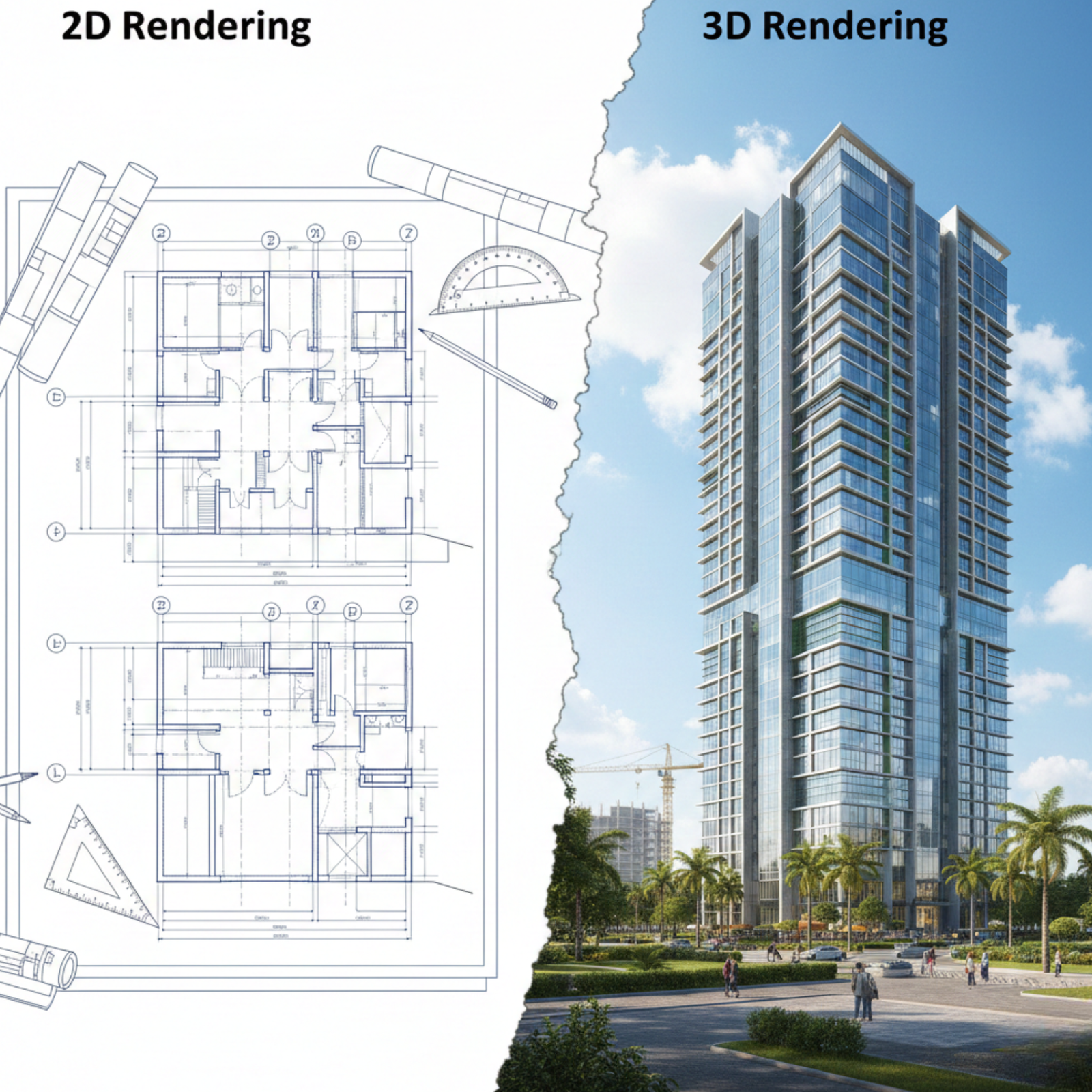
This kind of mistake isn’t rare, it’s systemic. It highlights a critical truth: Accurate 2D/3D Rendering Services are not an aesthetic luxury; they are a vital parametric verification layer. They reveal design inconsistencies early, expose scope gaps, and protect the project’s financial integrity. When integrated properly, renders bridge the gap between design intent and quantity precision, ensuring your estimates are not just numbers but validated projections.

BIM Integration & Advanced Modeling Services (Level 1–10 and 20–24)

At Construction Cost Estimation Service (C.C.E), we deliver more than just 3D rendering; we bring your projects to life through Building Information Modeling (BIM). Our experts provide BIM services from Level 1 to Level 10, and Level 20 to Level 24, helping architects, contractors, and property developers across the USA, UK, and Canada manage every phase of construction with precision and transparency.

BIM allows us to integrate 2D drawings, 3D renderings, and real-time cost estimation into one intelligent model. This ensures you get accurate visualization, better collaboration, and data-driven decisions before the first brick is even laid.

BIM Feature

Description

How It Helps You

BIM Level 1–10

Covers fundamental modeling, coordination, and data exchange between 2D and 3D drawings.

Ensures all design data is connected, reducing design errors and communication gaps.

BIM Level 20–24

Focuses on intelligent object modeling, simulation, and real-time performance tracking.

Helps detect clashes early, improves efficiency, and enhances project accuracy.

3D Visualization

Converts your architectural ideas into realistic 3D environments.

Allows you to see exactly how your space will look before construction starts.

Clash Detection

Automatically identifies conflicts in structure, plumbing, and electrical systems.

Saves time and cost by resolving issues before they reach the construction site.

Quantity Takeoff Integration

Links cost estimation with 3D models for live pricing updates.

Keep your project budget accurate and transparent throughout development.

Energy Simulation

Simulates light, air flow, and energy use for sustainable building design.

Ensures eco-friendly design and long-term cost savings.

Data Collaboration

Connects architects, engineers, and estimators in a unified digital workspace.

Improves teamwork and minimizes rework through shared access to updated models.

Design-to-Construction Link

Bridges the gap between design intent and construction execution.

Makes on-site work faster and more reliable, aligning every detail with the original plan.

BIM-Integrated Estimation

Syncs quantity takeoff and construction cost estimation services.

Gives a single source of truth for both cost and design, reducing confusion and risk.

Client Visualization Reports

Provides clients with easy-to-read BIM reports and 3D walkthroughs.

Enhances trust and helps clients make better design and budget decisions.

Our BIM-integrated approach ensures that your architectural rendering, visualization, and cost estimation work together seamlessly offering a smarter, faster, and more transparent construction experience.For clients who also need technical drafting or structural documentation, explore our Plans/Blueprints Drafting Services to complement your BIM workflow.

Blueprint and Plan Draft Integration in Rendering

Blueprints and plan drafts form the critical foundation of any rendering project. These detailed 2D technical drawings provide exact dimensions, spatial layouts, and construction details essential for creating accurate digital models.

How Blueprints Support Rendering:

Blueprints are the primary source documents that guide the 2D floor plan renderings and 3D modeling process. They define walls, openings, materials, fixtures, and structural components, ensuring that every render accurately represents the design intent. You can learn more about our detailed Plans/Blueprints Drafting Services to see how we prepare precise drawings that make your renderings more accurate and impactful.

From Draft to Digital Visualization:

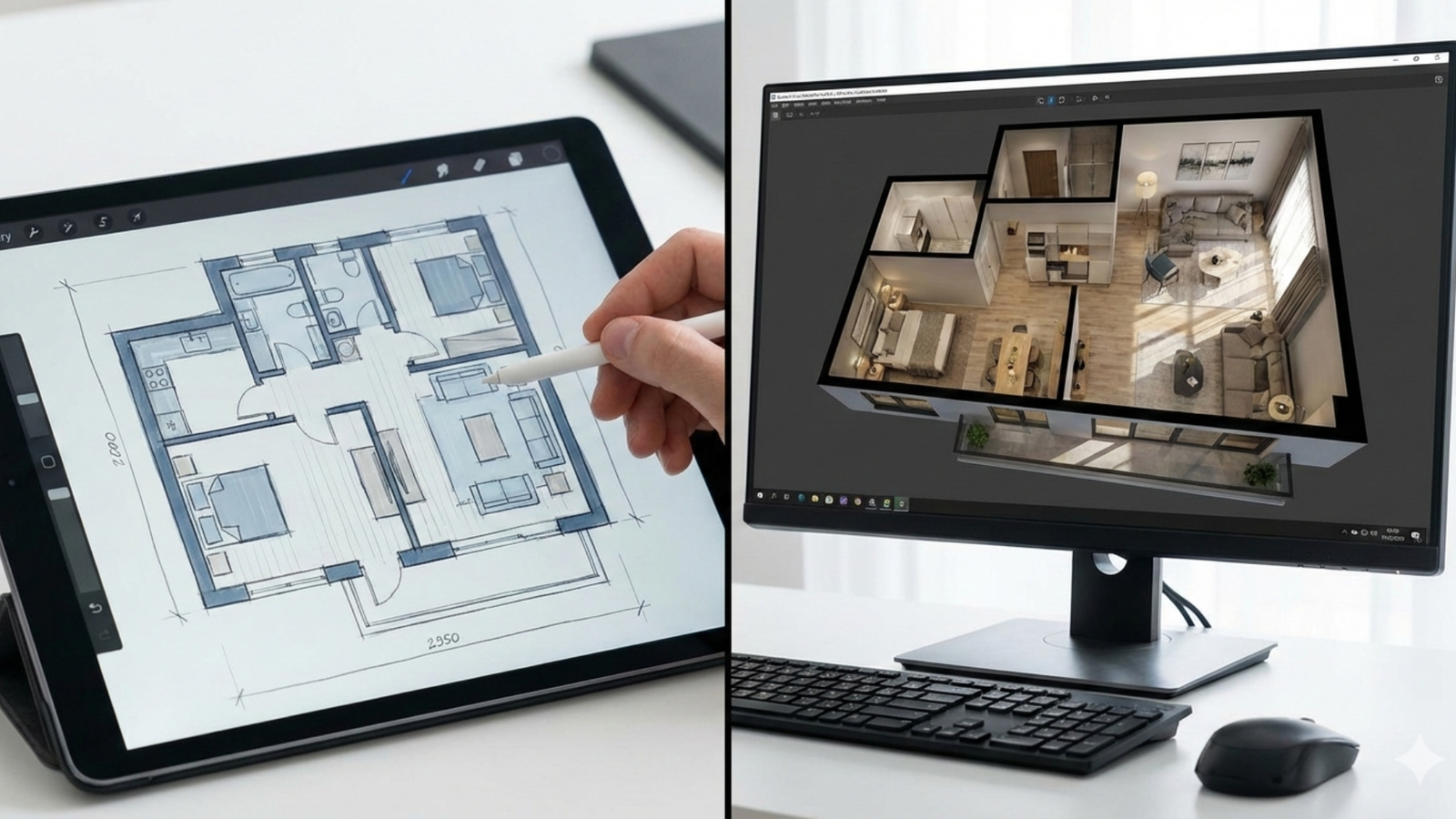
Whether you provide CAD files, PDFs, or hand-drawn sketches, our team digitizes and interprets these plans to build precise 3D models. This integration allows for photorealistic renderings that truly reflect real-world specifications and design nuances.

Benefits for Clients and Stakeholders:

Incorporating blueprint details enhances visual clarity, minimizes design ambiguity, accelerates approvals, and reduces costly revisions by providing a shared, precise understanding of the project from concept to construction. Our Plans/Blueprints Drafting Services ensure that every technical detail is accurately represented before moving to the visualization stage.

The Criticality of QTO Visual Verification

Modern open-concept living space with a kitchen, dining area, and lounge, featuring smart home system overlays highlighting connected appliances and devices.

The Measurable Value of 3D Geometry

In every construction estimate, the difference between a rough projection and a reliable Quantity surveying lies in visual verification. A data-rich 3D model (often derived from BIM) gives estimators and quantity surveyors an unmatched advantage. It enables them to view, validate, and question what the numbers truly represent.

For instance, in a high-end residential façade, the rendered view acts as a visual checklist. When a quantity surveyor looks at the render, they can verify not just visible materials like stone panels or cladding but also implied components such as hidden waterproofing membranes, transition trims, or sealant joints. These elements are often absent in the 2D line items yet are crucial for achieving the rendered look and ensuring long-term performance.

This is what we call Parametric Quantity surveying Verification, a process that visually and data-wise aligns quantities with design. Through the rendered 3D model, the estimator can perform a Material Transition Audit, checking each joint, edge, and finish to make sure the right materials are specified and the correct waste factors applied. A data-rich 3D modeling process ensures no assumption goes unchecked, giving cost managers a precise, auditable trail from model geometry to cost output.The result is confidence. Every number has visual proof behind it.

Precision in Specialized Assemblies

Certain construction assemblies like custom curtain walls, tiered seating, or curved roofing systems are known for their measurement complexity. In 2D drawings, their geometry often appears oversimplified, hiding the subtle slopes, angles, or panel transitions that drastically impact material counts.

By integrating 3D rendering into the estimation workflow, estimators gain a visual tool that confirms whether the panel-by-panel Quantity surveying aligns with actual geometric conditions. When the rendered view is compared against the BOM, discrepancies become immediately visible. You can see where an extra panel is needed, where a transition trim might be missing, or where a roof angle affects material waste.

This is Geometric Complexity Validation, a necessary step that ensures specialized assemblies are not under- or over-estimated. Each rendered component becomes a visual checkpoint, confirming that Assembly Component Counts in the Quantity surveying are fully justified by the actual design geometry. Through this method, high-risk assemblies become predictable, quantifiable, and cost-secure.

Mastering Code & Constructability

Clash Detection and Clearance Visualization

One of the most expensive errors in construction estimation is failing to anticipate constructability issues. A simple 3D model might show dimensions and placement but a coordinated, clash-free render shows the actual buildability.

This distinction is crucial. In complex projects, say, a mechanical room, utility tunnel, or equipment pad the rendered visualization helps estimators assess if physical space constraints are respected. For instance, if the render reveals that a technician cannot reach a valve due to tight clearance, it signals a major design risk. Without such insight, field teams face inevitable rework, and costs skyrocket due to unplanned modifications.

This is where Constructability Review Visualization plays its role. It bridges the communication between the design and estimation teams, ensuring that every material waste reflects not just material counts but the real-world feasibility of construction.

By maintaining a Clash-Free material waste approach, estimators and project managers minimize uncertainty. The render becomes a Clearance Verification tool, visually proving that all service routes, duct lines, and equipment areas meet accessibility standards. What could have caused a week of rework is now resolved before procurement even begins.

 Visualizing Safety & Accessibility Compliance

Safety and accessibility compliance are often seen as post-design concerns, but they start right at the estimation stage. The QTO process must account for every tactile paving, railing, or emergency signage element that ensures code compliance. Unfortunately, these items are easy to overlook in 2D drawings especially when under schedule pressure.

With Accessibility Visualization, renders provide an immediate, visual confirmation of safety and accessibility elements. Estimators can clearly see where tactile paving is needed at egress points, where specialized railing or guard systems must be installed, and how lighting or egress signage should align with accessibility codes.

When renders are used for Safety Component QTO, estimators can avoid undercounting critical safety materials. It ensures the project passes inspection the first time, preventing expensive change orders and penalties.This process forms the foundation of Egress Path Conformity, ensuring that the built environment not only looks correct but performs correctly according to regulations.

Leveraging Rendering for 5D Cost Confidence

Digital architectural visualization showing two multi-story building models side by side, with holographic data overlays and construction analytics displayed in a modern office environment.

Clash Detection and Clearance Visualization

One of the most expensive errors in construction estimation is failing to anticipate constructability issues. A simple 3D model might show dimensions and placement but a coordinated, clash-free render shows the actual buildability.

This distinction is crucial. In complex projects, say, a mechanical room, utility tunnel, or equipment pad the rendered visualization helps estimators assess if physical space constraints are respected. For instance, if the render reveals that a technician cannot reach a valve due to tight clearance, it signals a major design risk. Without such insight, field teams face inevitable rework, and costs skyrocket due to unplanned modifications.

This is where Constructability Review Visualization plays its role. It bridges the communication between the design and estimation teams, ensuring that every QTO reflects not just material counts but the real-world feasibility of construction.

By maintaining a Clash-Free QTO approach, estimators and project managers minimize uncertainty. The render becomes a Clearance Verification tool, visually proving that all service routes, duct lines, and equipment areas meet accessibility standards. What could have caused a week of rework is now resolved before procurement even begins.

 Visualizing Safety & Accessibility Compliance

Safety and accessibility compliance are often seen as post-design concerns, but they start right at the estimation stage. The QTO process must account for every tactile paving, railing, or emergency signage element that ensures code compliance. Unfortunately, these items are easy to overlook in 2D drawings especially when under schedule pressure.

With Accessibility Visualization, renders provide an immediate, visual confirmation of safety and accessibility elements. Estimators can clearly see where tactile paving is needed at egress points, where specialized railing or guard systems must be installed, and how lighting or egress signage should align with accessibility codes.

When renders are used for Safety Component QTO, estimators can avoid undercounting critical safety materials. It ensures the project passes inspection the first time, preventing expensive change orders and penalties.This process forms the foundation of Egress Path Conformity, ensuring that the built environment not only looks correct but performs correctly according to regulations.

How 3D Rendering Helps You See What You’re Really Building

Three real estate visuals showing a modern house, a bright kitchen interior, and a high-rise residential building.

Most project delays and cost overruns begin with one problem: people can’t “see” what they’re building.Even with detailed 2D drawings, clients and estimators often miss how materials, textures, or dimensions will look and connect in real life.

That’s why, at C.C.E (Construction Cost Estimation Service), we use advanced 3D architectural rendering and visualization tools to bring your drawings to life so you can verify designs, cross-check material quantities, and avoid rework before construction starts.Below is how different property types benefit from expert-level 3D visualization and rendering.

3D Rendering for New Homes

Aspect

Expert Insight

Estimation & QC Benefit

Visual Accuracy

A new home render allows clients and estimators to see every elevation, shadow, and light effect as it will appear in real construction.

Confirms accurate facade dimensions and helps validate wall and roof QTO before procurement.

Material Realism

Using tools like 3ds Max and Lumion, textures and colors are presented with real-life precision.

Ensures materials chosen in cost estimation match client-approved finishes, reducing change orders.

Spatial Awareness

Shows the exact connection between living, kitchen, and outdoor areas.

Supports accurate flooring, window, and lighting quantity verification in the QTO process.

3D Rendering for 2-Bedroom Homes

Aspect

Expert Insight

Estimation & QC Benefit

Smart Space Design

3D visualization demonstrates how small layouts can feel open through light and layout balance.

Allows cost planners to compare space efficiency and material consumption between compact plans.

Interior Detailing

Detailed rendering includes lighting reflections, furniture placement, and door/window proportions.

Improves interior QTO accuracy for finishes, fixtures, and fittings.

Practical Verification

Displays the practical livability of the plan walkways, access, and spacing.

Prevents miscalculations of floor coverings, ceiling materials, and partition walls.

Single-Story vs. Double-Story Homes

Type

Expert Visualization Use

Cost Estimation Impact

Single-Story

Highlights open layout, slab coverage, and roof geometry in a clear visual model.

Simplifies roof and slab QTO verification and detects design-to-takeoff mismatches.

Double-Story

Exposes structural connections, stairs, and multi-level lighting.

Supports validation of column counts, beam lengths, and floor area differences between levels.

A simple 2D plan can’t reveal stair alignment errors or elevation gaps — but a 3D render does. That visual confirmation alone can prevent tens of thousands in redesign or rework costs.

Commercial + Residential Mixed-Use Buildings

Design Component

Visualization Purpose

QTO & Risk Reduction Benefit

Façade Integration

Shows how storefronts, windows, and signage align within the architectural design.

Ensures material transitions (stone to glass or metal panels) are correctly estimated.

Function Separation

Illustrates how commercial spaces (shops/offices) integrate with residential levels above.

Confirms accurate division of finishes, flooring types, and structural load calculations.

Lighting & Access Flow

Simulates how natural and artificial lighting interacts across both use types.

Supports cost control by validating electrical layout and energy efficiency elements.

In complex mixed-use projects, a 3D architectural rendering is not decoration — it’s a coordination and verification tool. Estimators use it to confirm buildability, compliance, and cost accuracy before materials reach the site.

Expert Insight: Visualization as Verification

At C.C.E, we treat every render as part of the construction verification process, not just a marketing image.Our workflow connects 3D visualization, QTO validation, and BIM data meaning what you see in the render directly aligns with the quantities, specifications, and cost data in the estimate.That’s why experienced estimators and developers across the USA, UK, and Canada trust C.C.E’s 2D/3D Rendering Services; they turn abstract drawings into measurable, buildable reality.

Technology Backbone: The Software Powering C.C.E’s Rendering Excellence

At Construction Cost Estimation (C.C.E), we believe precision starts with the right tools. Every 2D and 3D render we produce is powered by industry-leading software that combines design intelligence, parametric modeling, and real-time visualization. This ensures your project’s renderings are not just beautiful images but data-accurate visual documents that directly enhance estimation reliability.Below is an overview of the software ecosystem that drives our rendering and cost estimation integration:

Software Tool

Purpose & Use in Estimation

Practical Benefit for Clients & Estimators

AutoCAD (2D Drafting & Rendering)

Used for creating precise 2D plans and elevations before 3D modeling begins. Enables clean base geometry for quantity takeoff and construction detailing.

Guarantees accurate 2D plan-to-3D model transitions, minimizing dimension discrepancies during QTO verification.

Autodesk 3ds Max (3D Architectural Rendering)

The backbone of our 3D architectural visualization rendering. It allows photorealistic representation of textures, materials, and lighting.

Provides a true-to-life preview of the design, improving communication between estimators, designers, and clients.

Revit (BIM Integration)

Used for data-rich 3D modeling where every component holds parametric data (materials, volume, cost).

Enables seamless Parametric QTO Verification, linking every rendered element with real-world cost information.

SketchUp (Concept & Design Visualization)

Ideal for conceptual and schematic design phases. Helps in quickly testing room layouts and visual proportions.

Allows clients and estimators to visualize changes early—reducing design revisions and improving decision speed.

Lumion & Twinmotion (Real-Time Rendering Engines)

Used for generating high-quality visualizations and walk-through animations of interiors and exteriors.

Gives clients and project managers immersive previews, helping them assess buildability and finish selection in real-time.

Blender (Open-Source 3D Visualization)

Employed for custom animation, 2D art rendering, and educational visual simulations.

Offers flexibility for experimental or academic visualization work—ideal for conceptual presentations.

Chief Architect & Home Designer (3D Interior Design Software)

Used for residential visualization, especially new home 3D rendering and 3D floor plans.

Helps homeowners and developers visualize materials, furniture layouts, and lighting design before construction.

Navisworks (Clash Detection & Coordination)

Performs detailed constructability reviews using integrated 3D models.

Detects design conflicts early and ensures Clash-Free QTO, saving time and rework costs.

Fusion 360 & SolidWorks

Applied for component-level detailing and fabrication visualization.

Ensures mechanical and structural components fit perfectly before manufacturing, supporting accurate assembly component counts.

Why C.C.E Excels in Rendering & Estimation Integration

Instead of listing features, here’s a clear, side-by-side explanation of why C.C.E (Construction Cost Estimating) stands apart in combining Rendering with Estimation:

C.C.E Expertise Area

What It Means for Your Project

Practical Benefit to Estimators & PMs

Data-Rich 3D Modeling

Every model is built with parametric accuracy and BIM integration.

Delivers measurable QTO verification and material transition audits.

Render-Based QC System

Each estimate is visually cross-checked against 2D/3D geometry.

Prevents budget leakage and reduces post-procurement disputes.

Clash-Free Constructability Review

Integrated visualization for service coordination and clearance.

Eliminates rework risk before procurement.

Safety & Accessibility Visualization

Visual validation for ADA and safety compliance.

Ensures accurate QTO for all safety components and avoids compliance issues.

5D Cost Modeling Integration

Links design visuals directly with cost data.

Improves accuracy in value engineering and cost forecasting.

Independent Peer Review Process

Final QTO validated by both render and estimation teams.

Strengthens client confidence and audit transparency.


Our Service Areas

United States
  • New York
  • California
  • Washington
  • South Carolina
  • North Carolina
  • Oregon, Florida
  • Oklahoma,
  • Minnesota
  • Tennessee
  • Illinois
  • Ohio
  • Colorado,
  • Indiana
  • Kentucky
  • Louisiana
  • Maryland,
  • Alabama
  • Connecticut
  • Pennsylvania
  • Texas
  • Georgia
  • Arizona
  • Michigan
  • Missouri
  • Massachusetts
  • New Jersey
  • Virginia
  • Alberta
  • British Columbia
  • Manitoba
  • New Brunswick
  • Newfoundland and Labrador
  • Nova Scotia
  • Ontario
  • Prince Edward Island
  • Quebec
  • Saskatchewan

10 Expert FAQs for 2D/3D Rendering Services (C.C.E)

1. Why Are 2D/3D Rendering Services Essential For Construction Cost Estimation?


 2D/3D rendering services provide a realistic, data-backed visual view of the design, helping estimators identify design inconsistencies before takeoff. They allow quantity surveyors to verify materials, transitions, and finishes visually preventing major cost errors that traditional 2D drawings often overlook. In short, renderings transform abstract drawings into measurable, verifiable construction data

2. How Does 3D Architectural Rendering Improve Quantity Takeoff (QTO) Accuracy?


3D architectural rendering enhances QTO precision by aligning geometry with materials and scope. Estimators can zoom into each assembly wall, floor, or façades to confirm material thickness, hidden layers, and edge details. This visual confirmation ensures the QTO reflects real construction conditions, reducing both wastage and underestimation risks.

3. What Is The Difference Between 3D Architectural Visualization And Regular 3D Rendering?


While basic 3D rendering focuses on visual presentation, 3D architectural visualization integrates technical accuracy with artistic clarity. It not only shows what the project will look like but also validates how each component fits and functions in real-world construction. C.C.E’s visualization services ensure every render doubles as a quality control (QC) and estimation verification tool.

4. Can Rendering Help Detect Design Clashes Before Construction Starts?


Yes. High-quality 3D rendering exposes design clashes and clearance conflicts that 2D drawings miss. By simulating how elements interact  such as MEP layouts within ceiling spaces, renderings allow project managers to spot overlaps and accessibility issues early, preventing expensive field rework and delays.

5. How Do 3D Renderings Support Value Engineering (VE) In Construction Projects?


Renderings are a key component in Value Engineering Visualization. When substituting materials or finishes, teams can instantly see how each option affects appearance, constructability, and cost. This helps decision-makers select cost-effective solutions without compromising design intent or project aesthetics.

6. What Role Does 3D Rendering Play In Safety And Accessibility Compliance?


Renderings visually confirm whether safety elements  such as tactile paving, railings, and egress lighting  meet compliance standards. Estimators can visually verify the quantity and placement of each component, ensuring no critical safety feature is undercounted in the QTO. This process reduces inspection failures and rework costs.

7. How Do C.C.E’s Rendering Services Integrate With Construction Estimation Software?


C.C.E integrates its 2D/3D render outputs directly with cost estimation software and BIM-based models. Each render carries parametric data that links geometry to quantities, allowing seamless synchronization with cost databases. This integration ensures faster, more accurate, and fully traceable cost estimation workflows.

8. Why Should Developers Use Rendering For Budget Control And Forecasting?


Developers gain significant clarity when using renderings for early budgeting. By visualizing design intent and verifying material coverage areas, they can allocate funds with higher confidence. Renderings also support 5D Cost Modeling, linking design visuals with real-time cost simulations reducing unexpected cost spikes later.

9. Can 3D Rendering Services Be Used For Both Residential And Commercial Projects?


Absolutely. C.C.E provides 3D rendering services tailored to both residential and commercial construction. Whether it’s a custom home, multi-story office, or industrial facility, rendering ensures material and design accuracy for any scale. Each project benefits from visual validation before procurement begins.

10. How Does C.C.E Ensure Quality Control In Rendering And Estimation Integration?


C.C.E follows a Render-Based QC System, where every render is visually cross-checked with the final QTO. The estimation team verifies that all major components structure, façade, and finishes match the visual model. A final QTO sign-off confirms full alignment between design visuals and cost data, eliminating costly surprises during construction.

Ready to Take the Next Step?

Contact us today to get started on your construction projects and experience the difference of working with Construct Estimates.

Receive the latest news

Subscribe To Our Weekly Newsletter

Get notified about new articles